Github Pages - josh-vs.github.io
Table of contents:
- Introduction
- File structure
- Eleventy
- Nunjucks
- Tailwind & Postcss
- Gallery
- Remark42?
- GitHub Pages
Introduction
The site you're currently viewing is made using Elventy, a simple, open source static site generator available through node.js. It also uses TailwindCSS together with PostCSS for styling.
It's published using Github Pages. You can view the repository with the site's source code here.
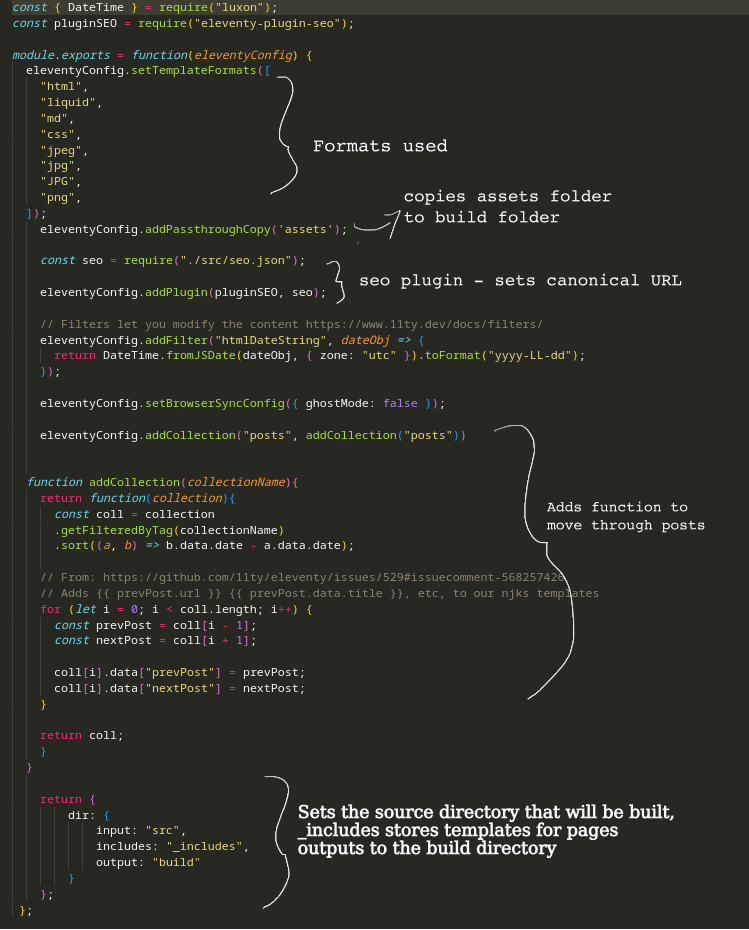
After installing Eleventy into my site folder, I set up the .eleventy.js file:
- [ ] tailwind and postcss
After installing TailWindCSS and PostCSS using NPM I added this code to the .eleventy.js file:
const tailwind = require("tailwindcss");
const postCss = require("postcss");
const autoprefixer = require("autoprefixer");
const cssnano = require("cssnano");


const postcssFilter = (cssCode, done) => {
  postCss([
    tailwind(require("./tailwind.config")),
    autoprefixer(),
    cssnano({ preset: "default" }),
  ])
    .process(cssCode, {
      from: "./assets/tailwind.css",
    })
    .then(
      (r) => done(null, r.css),
      (e) => done(e, null)
    );
};
File structure
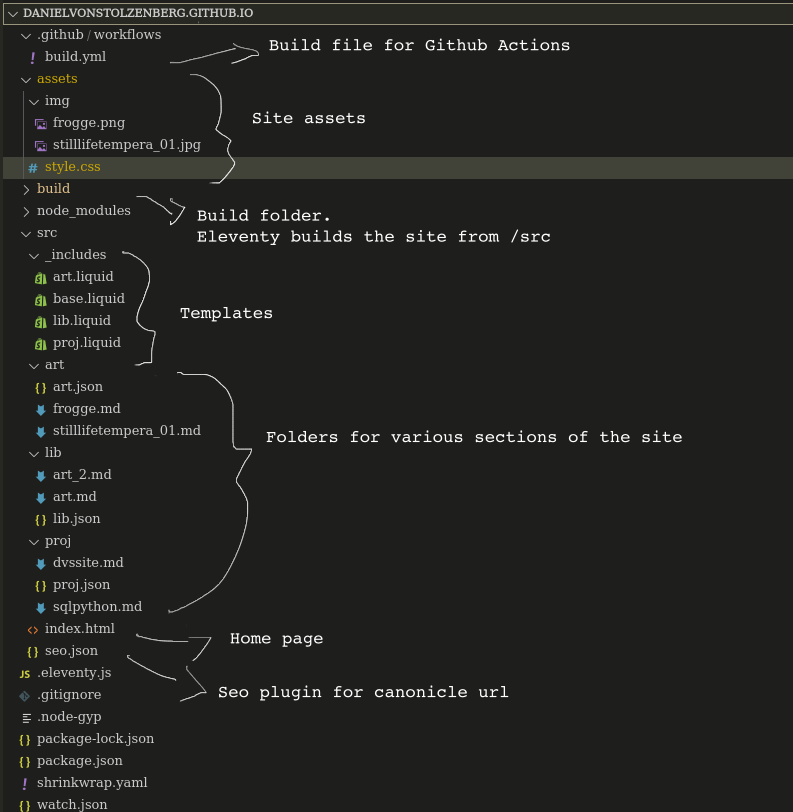
And this is what the directories look like:
Eleventy
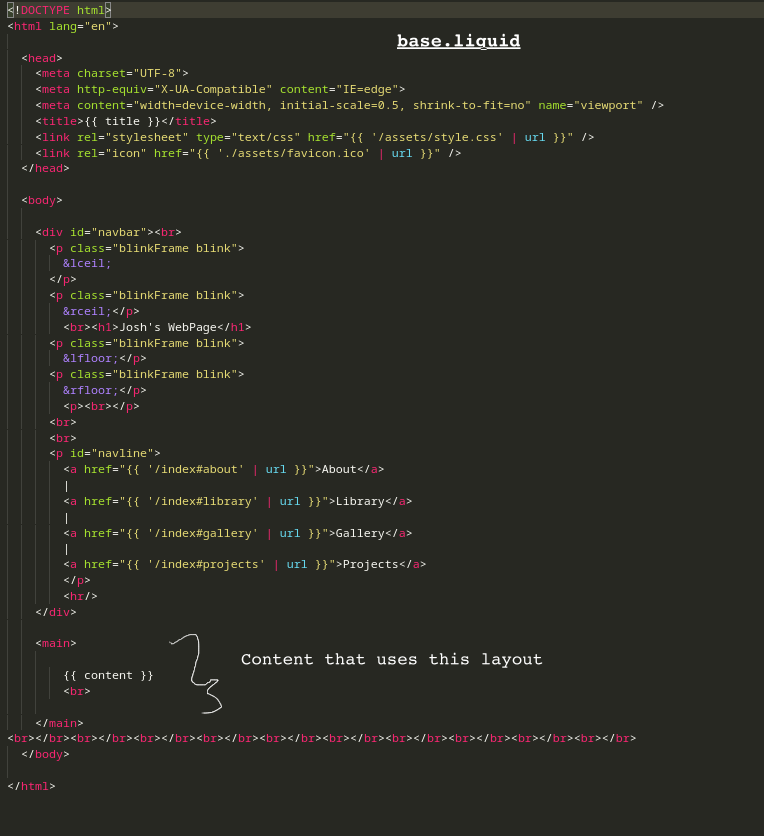
The first in the chain for the site are the templates in the _includes folder. Base.liquid is the base template for all other templates and for the index.html file.
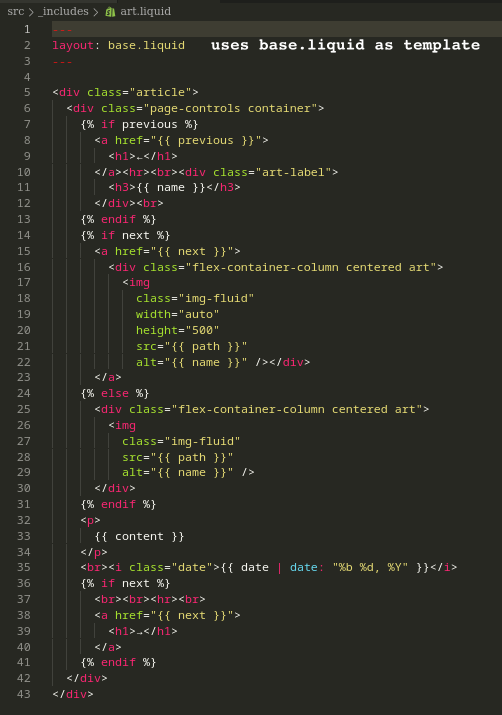
We then have more templates that are used. The art.liquid file is the template for individual .md files in the art folder.
Then within the art folder we reference this template with art.json.
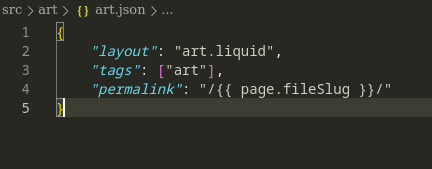
Now any .md file placed into the art folder will be under the "art" tag and have the art.liquid layout.
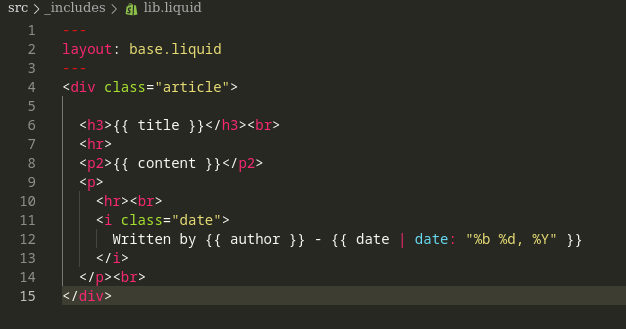
We also have a a layout for the library:
Nunjucks
- [ ] add nunjucks config
Using liquid we can format the document to automatically input the title, date and author which is at the top of the .md file.
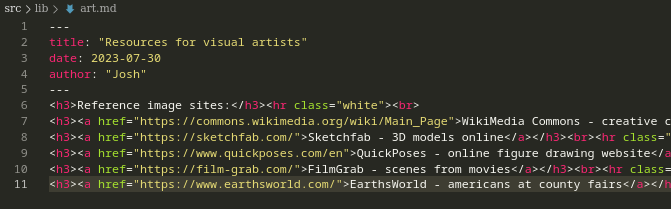
Then comes the homepage, index.html. This also uses liquid formatting to automatically display the art from the art folder, articles from the library folder...
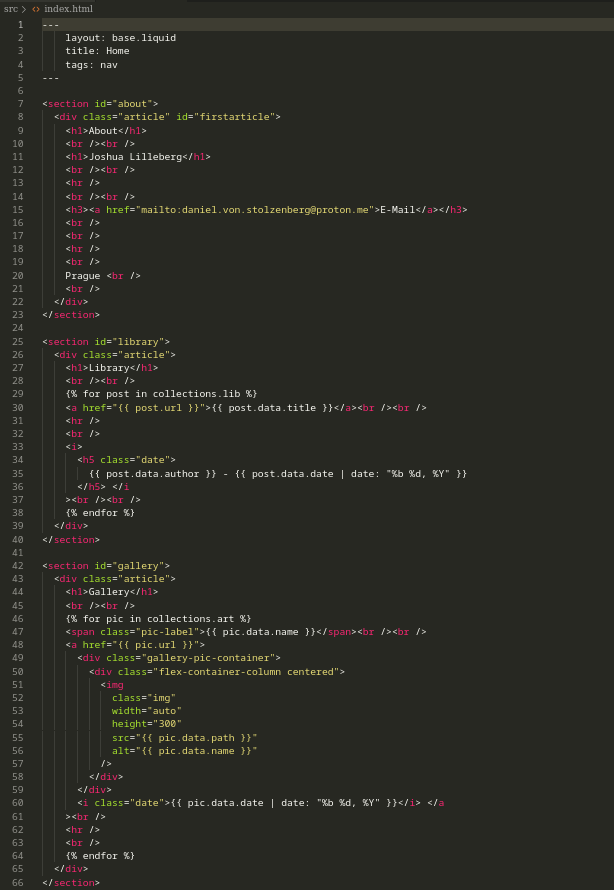
Now any new .md files added to the folders are automatically added to the homepage, as well as a seperate page for them with the template described in their folder. This makes updating the site intuitive and simple.
This is then built into the build folder when running npm start.
TailwindCSS & PostCSS
Gallery
Remark42 comment system?
GitHub Pages
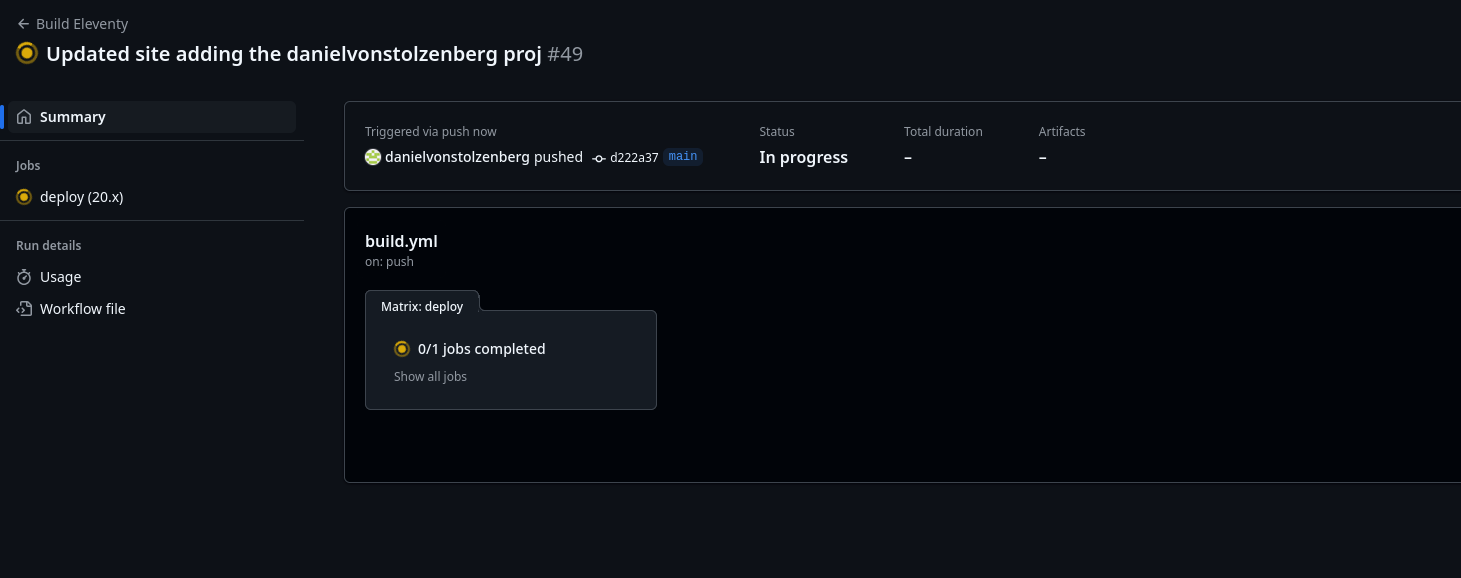
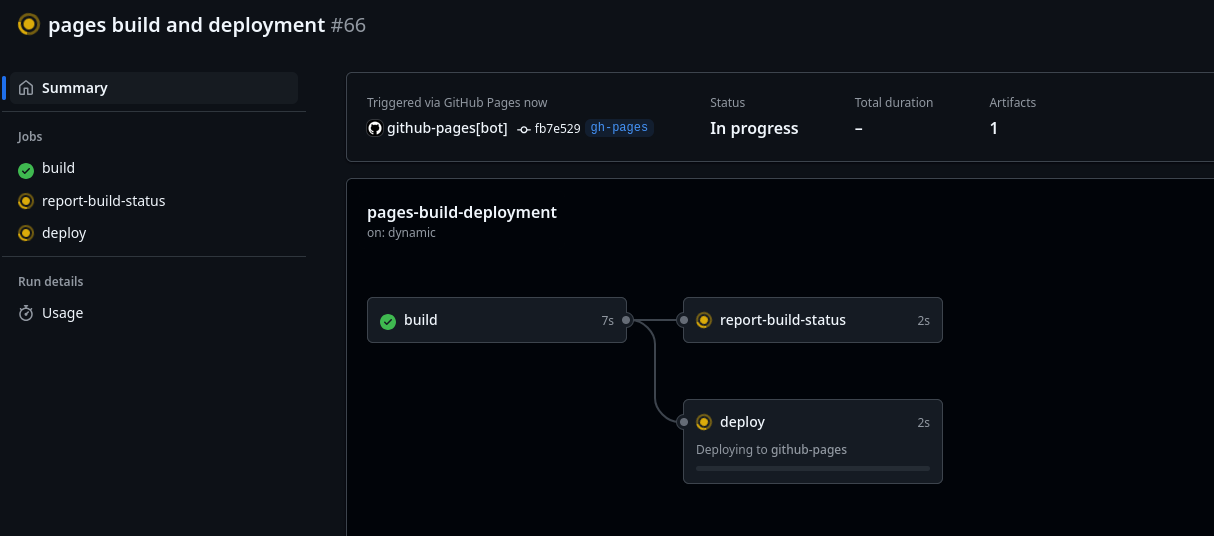
Lastly I upload this to Github Pages, which uses Github Actions to build. This is configured in /.github/workflows/build.yml.
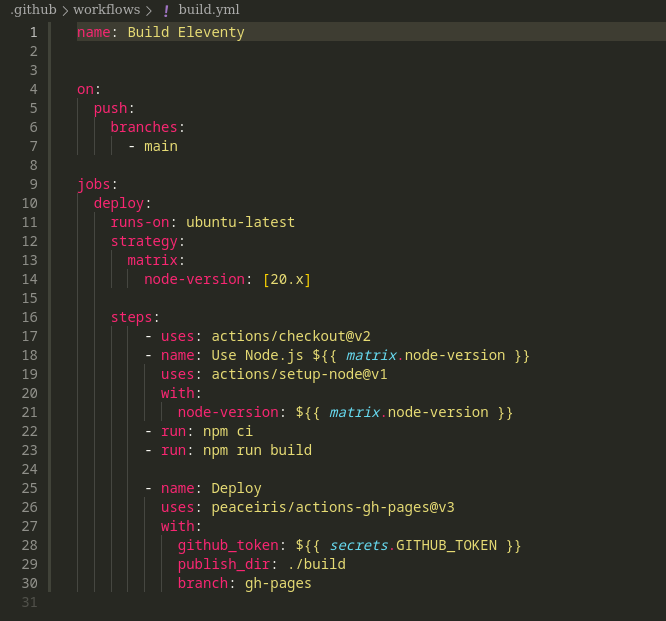
This pushes the origin to main, then it uses node to build the site to the gh-pages branch, with ./build as the published directory which is seen when viewing danielvonstolzenberg.github.io. It uses a secret deploy token provided by github.
Then after authenticating github via an SSH key, I can push using Github Desktop or the VSCode Github extension.
This is then built and deployed on Github Actions.